
Managing & Relisting Auctions
Daily administration
Section titled “Daily administration”- All Auctions lists individual auction products.
- Auctions activity provides bid activity.
- Auctions winners lets staff review winning auctions.
- Analytics summarizes outcomes, bids, and paid revenue.
An auction can have bids without meeting its reserve. A winning result can remain unpaid. Review the outcome and order before taking further action.
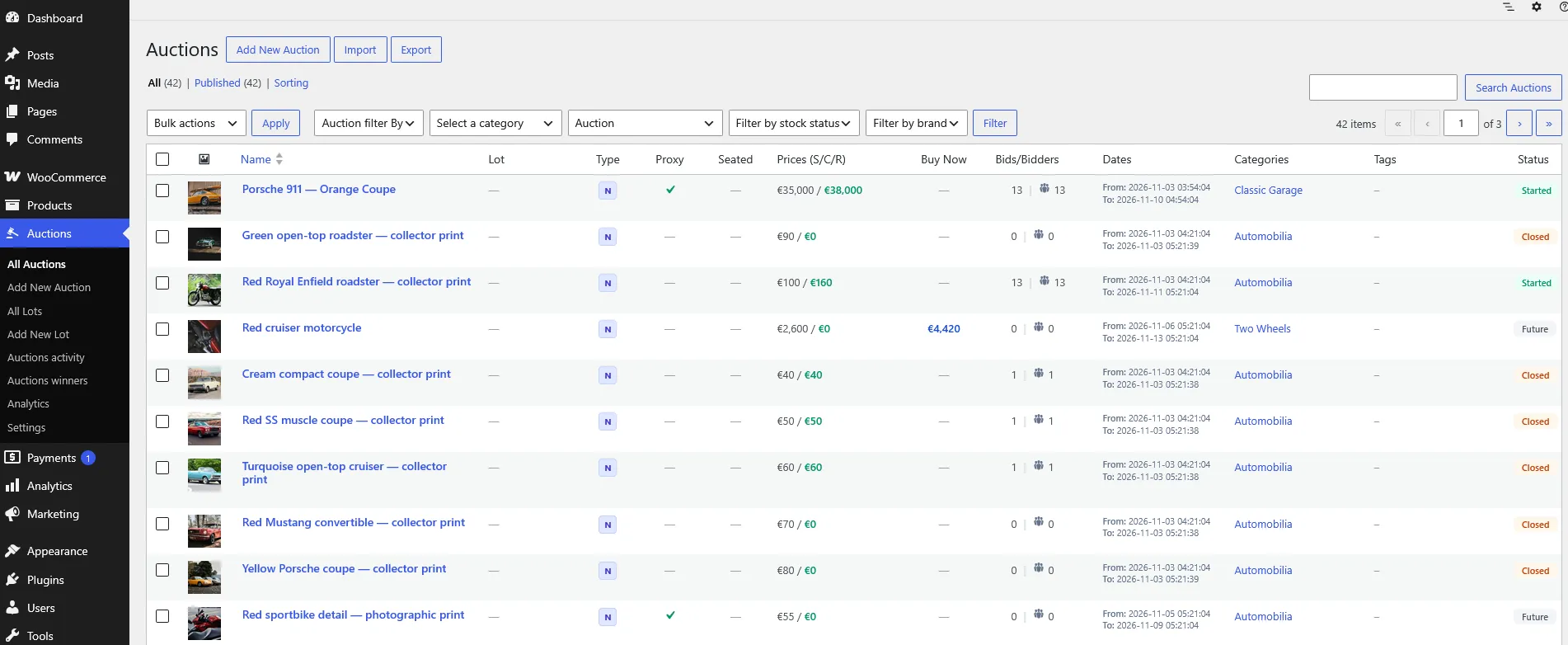
User-supplied screenshot of All Auctions, showing search, filters, and auction statuses. Displayed bids and statuses do not confirm payment.
Relist an individual auction
Section titled “Relist an individual auction”On an eligible finished auction, use the relisting panel to choose Relist Start Date, Relist End Date, and the Bid Logs option. Confirm Relist Auction Now.

User-supplied screenshot with Keep bid history / logs selected. Dates are examples; the screenshot does not confirm a completed relist.
Relisting starts another sale cycle. Decide whether to retain or remove bid logs before confirming: removing logs affects bid history and analytics based on retained logs.
Automatic relisting
Section titled “Automatic relisting”The product supports automatic relisting controls for failed or unpaid auctions, a new auction duration, and bid-log handling. Configure the intended conditions and run the relist cron endpoint hourly.
Before relisting an unpaid win, inspect the linked order and any pending payment. Do not use relisting as a substitute for checking payment status.
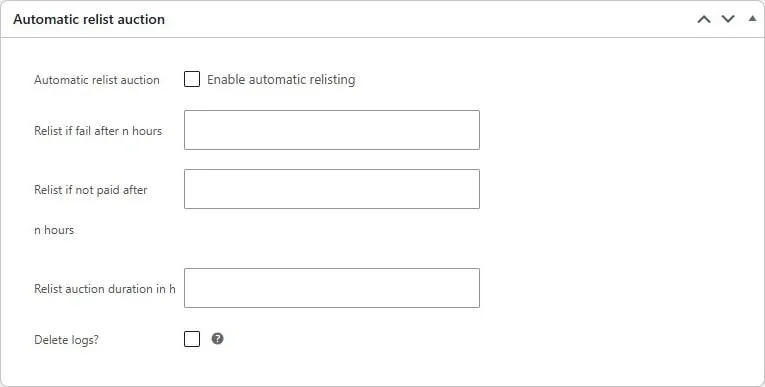
Automatic relisting switches, failed and unpaid delays in hours, new duration, and bid-log handling.
Use the parent lot’s relisting workflow for a grouped sale. Choose a valid new schedule and review session ranges and product order before restarting. See Lot Operations.